Once you have signed up for your Free Trial account, activating your account means to become a paying member.
Once you activate your account you will be able to:
-
Register a Discounted domain
The cost of the discounted domain is $14/year ($1.17/month).
Additional domains (charged annually) are $28/year. - Set up a Personalized Email Account such as You@YourDomain.com.
The cost of a Branded Email Account is $6.50 per month ($78 yearly).
Each additional email account is also $6.50 per month ($78 yearly). - Access the FASO Stats
(Meanwhile, you can activate Google Analytics for free.) - Get a minimum of 2 free BoldBrush Competition entries.
2-4 contest entries/month are included depending on your plan (additional entries are $14/ea). - Access the Marketing Center which includes the Marketing Calendar.
When you activate prior to the end of your free trial period:
- you get an extra month free
- you do not lose any of your free trial time
A trial account is set up on the Monthly Gold Plan.
If you wish to change plans, be sure to make that change BEFORE clicking on this Blue Button:
To Change Your Plan Before Activation:
- from FASO dashboard
- click Activate Account

- click on Select a different FASO plan (lower right)
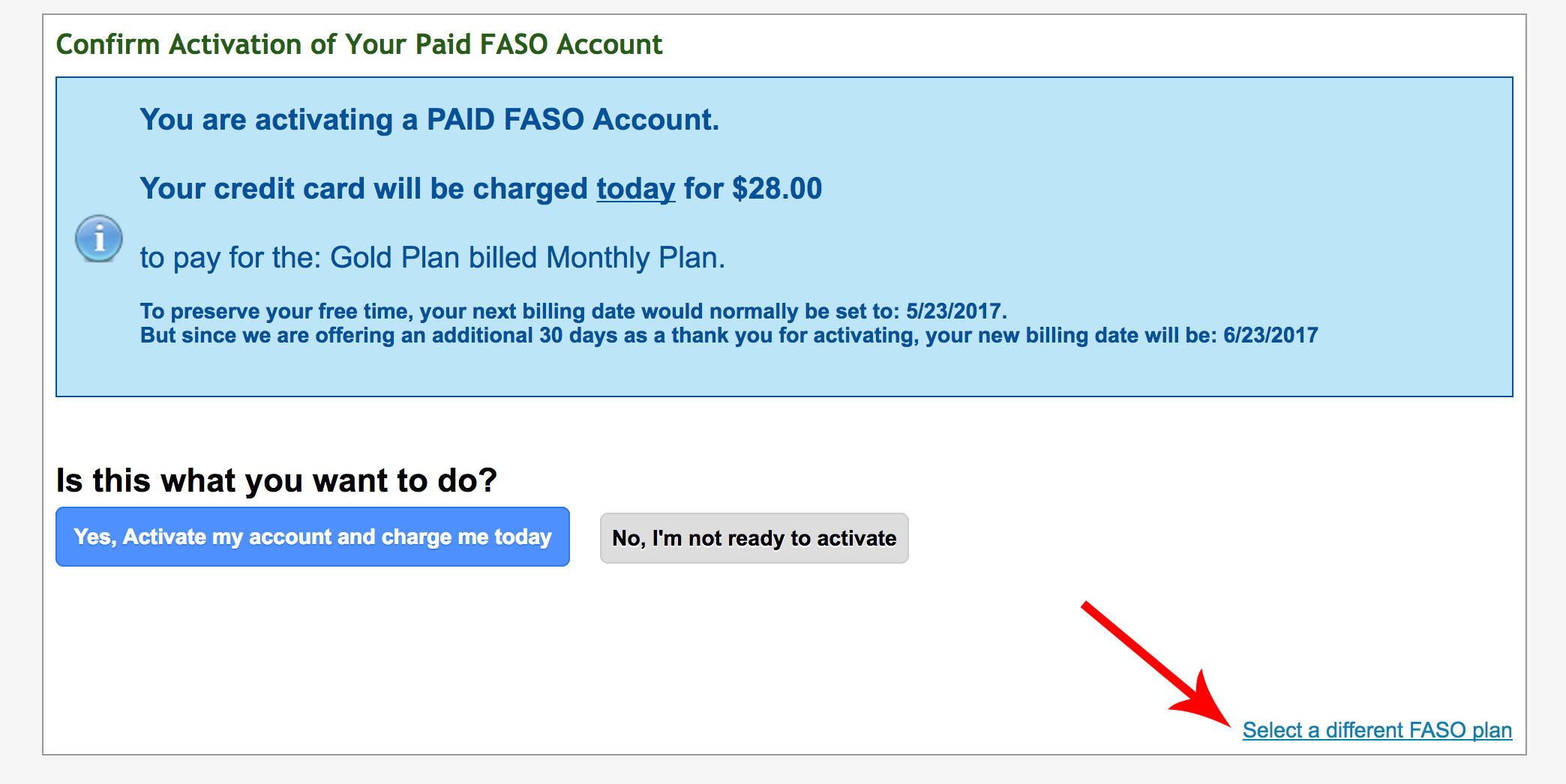
- if you wish to save money and pay yearly instead of monthly, click on Save Money and Show Yearly Prices (top right)
- choose your member plan (click on grey button to select)
- follow the prompts
This does 3 things:
- leads you through process of adding billing information
- automatically processes your first month fee and moves your next billing date forward to honor the remainder of your free trial time
- adds an extra 30 days to your free trial (our way of thanking you for your early activation)
Your card will be charged your first month's $30 fee on the Gold Plan (or the appropriate fee for the plan you chose). If you activate early, your next billing date is prorated forward ensuring that you receive all of your free trial time plus we add 1 more free month!
Never send credit/debit card details via email as that is not a secure form of transmission. This includes our support tickets (which are emailed).
07082026