To select which Marketing emails you wish to receive you can edit the Notifications in 1 of 2 ways.
From the email:
- scroll to the bottom of the email you recieved
- click on Change notification settings
- edit to your liking
- Save changes
OR
- from FASO Site Dashboard
- click Artist Society (upper row)
- click Community OR Ask the Community
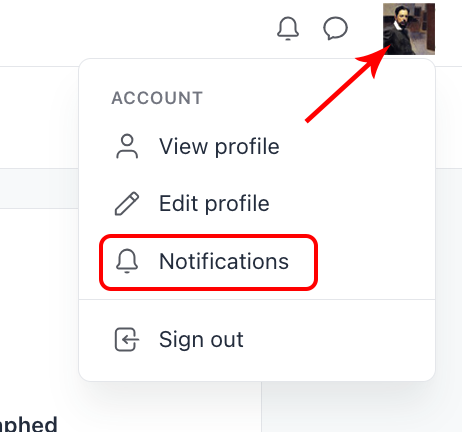
- click your name/icon (top right corner)
- select Notifications
10132026