From FASO Dashboard
- from Site Dashboard
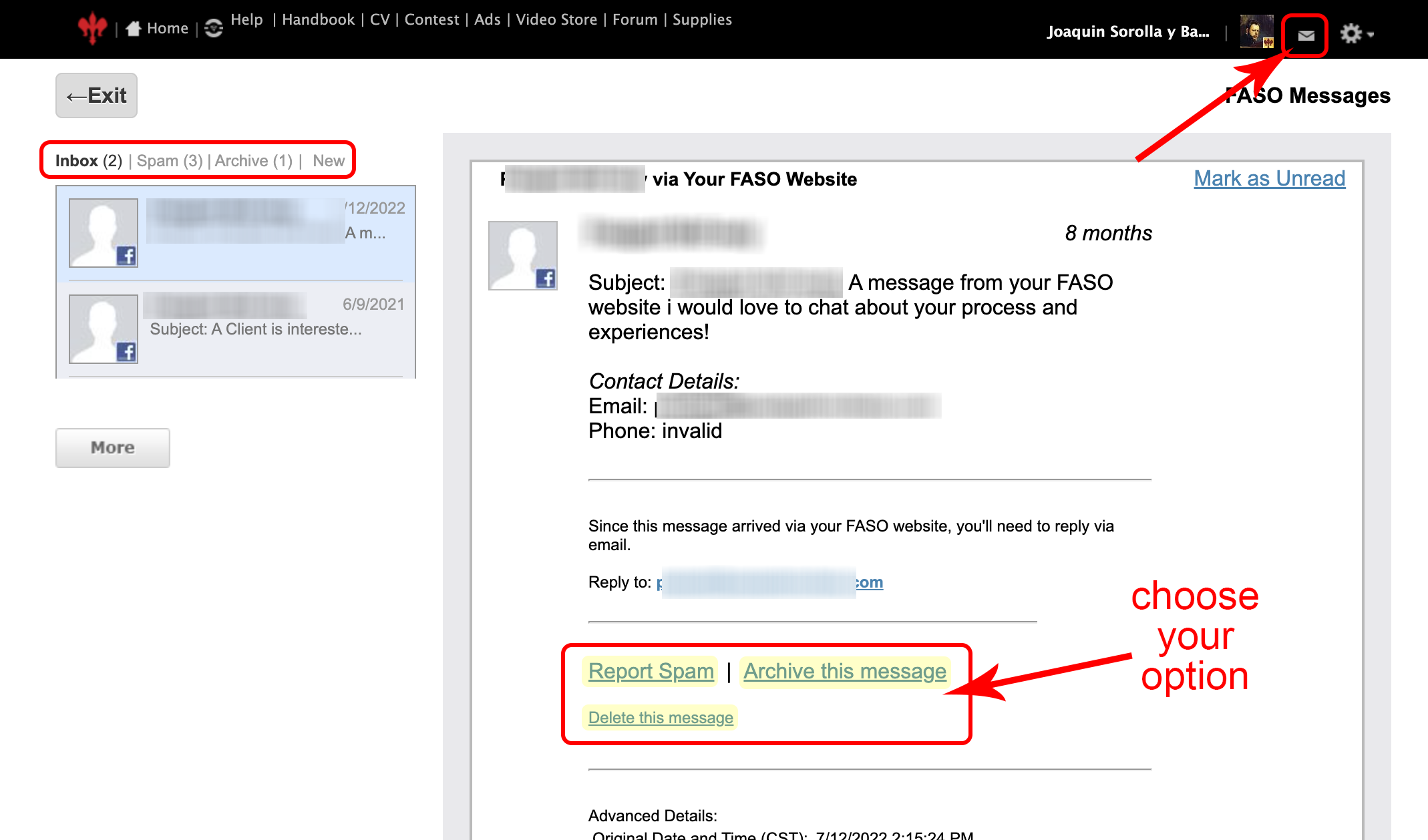
- click the tiny envelope, top right
- (says Messages when hovering)
OR
- from Site Dashboard
- Contacts (left menu - if you don't see the full options on the left, click the 3 bar menu icon, upper left corner)
- Website Inbox
THEN
- click on the message (left column) you want to manage (which opens it)
- below message content, click on one of the options
- Report Spam
- Archive this message
- Delete this message > Yes
From Email
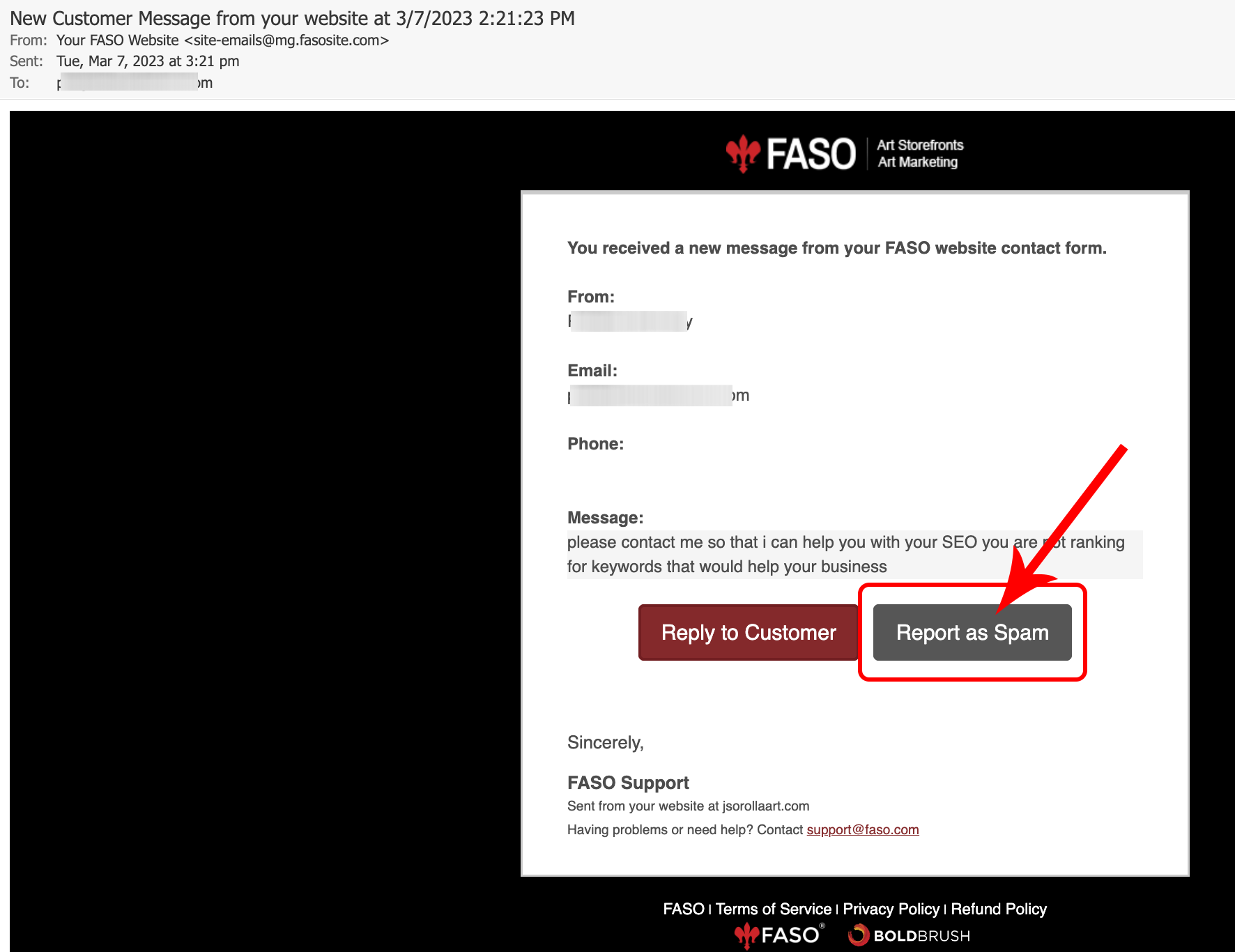
You can also make a message as spam directly from the message in your email inbox.
Open the email, subject line: New Customer Message from your website at [[date]]
Click on Report as Spam button
If you marked a message as spam by mistake, see this FAQ:
Oops, I marked a message in my message log as spam. How do I correct this?
08252026