- from FASO Control Panel
- click Artwork icon (upper row)
- click Manage button
- click Manage Collections

- click blue pencil Edit icon to the right of a collection

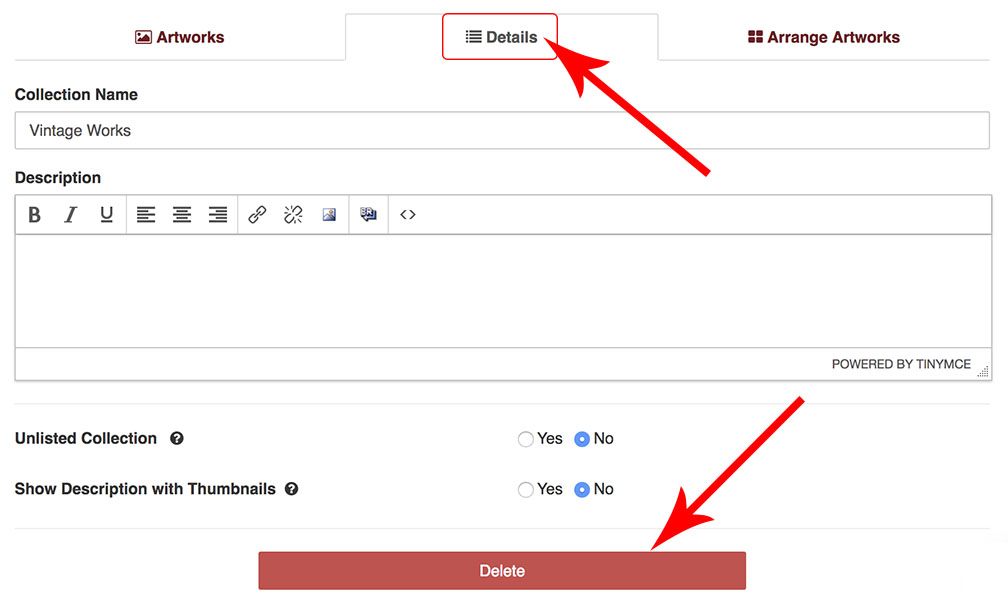
- click Details
- scroll down
- click Delete
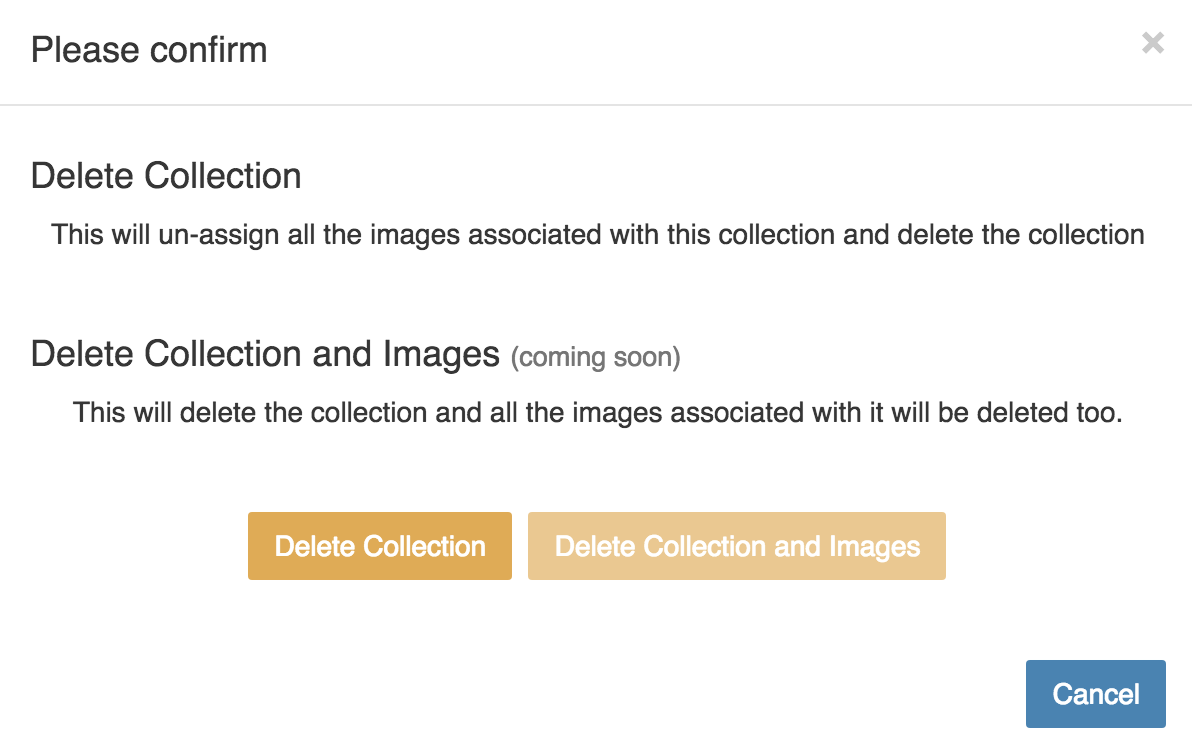
- complete the confirm step
04292026
${ result.question.answer_sample }
04292026
Our world-class customer care team is here for you
Contact Support