If you sell digital art or products, we offer Digital Delivery URLs.
Whether it be a high-resolution artwork image file, an image to be used as a Desktop Screen Saver, a pdf file, or any product deliverable online, FASO will send your buyer a link that they will then use to download it.
Here's how it works:
- Set up your product
If you are using an online service to create the digital product that service will provide you with the URL - After payment, your buyer gets the URL as a link in their receipt.
- They click on the URL to download or stream the item.
Note: For videos and online courses, you can use FASO's Video feature. |
Good to Know
Adding your Digital Delivery URL using the steps below, your product is downloadable.
However, when we auto-generate a URL, such as for instructional videos and online courses, it's only for streaming (as much as your buyer wants), but it's not downloadable.
How to Set It Up
- 1st go to the site where you have your product
copy the full web address from the address bar
THEN add to FASO:
- from FASO Site Dashboard
- My Art
- Artworks
- click on thumbnail to edit the image
- scroll down to Digital Delivery URL field
- paste in the URL
- Save
|
NOTE: For digital files with unlimited downloading capability be sure to include TYPE as Open Edition and Availability as Available.
|
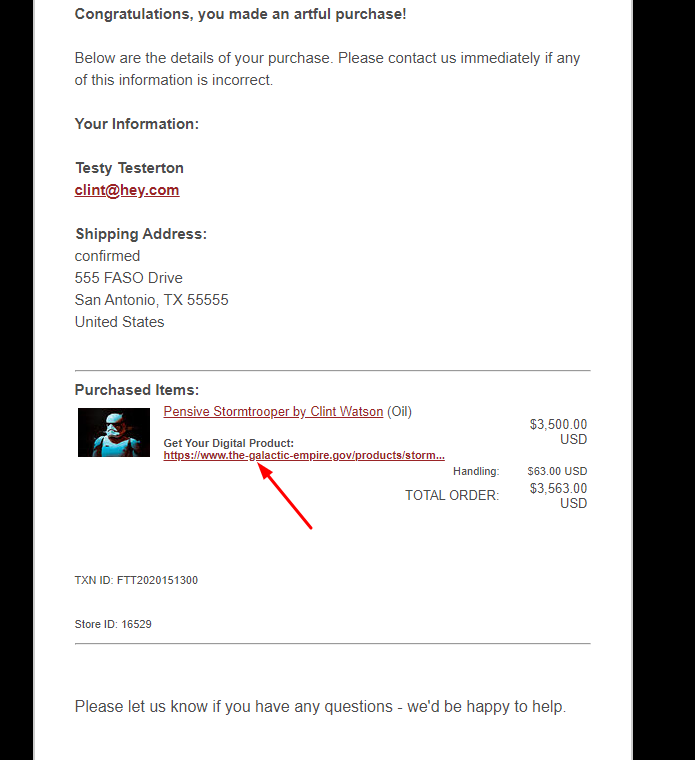
When your buyer receives their payment confirmation receipt, there will be a clickable link below Get Your Digital Product for immediate access by clicking the link.
Something like this:
09012026