The Filter feature allows you to either Tag or Filter Out visitors that you do not want showing in your stats.
This does not prevent those visitors from visiting your website your site. It just removes them from your analytics data.
Filter Out a Country
For example, if you want to remove all visitor stats for a particular country, you can filter those out. People from that country can still visit your website, but you would not see their visits in the stats data due to the filter.
Here's how:
- from Site Dashboard
- Analytics (below MARKETING - left menu - if you don't see the full options on the left, click the 3 bar menu icon, upper left corner)
- Overview
- Detailed analytics
- Click Prefers
- Click Visitor Tags and Filters
- Click Countries
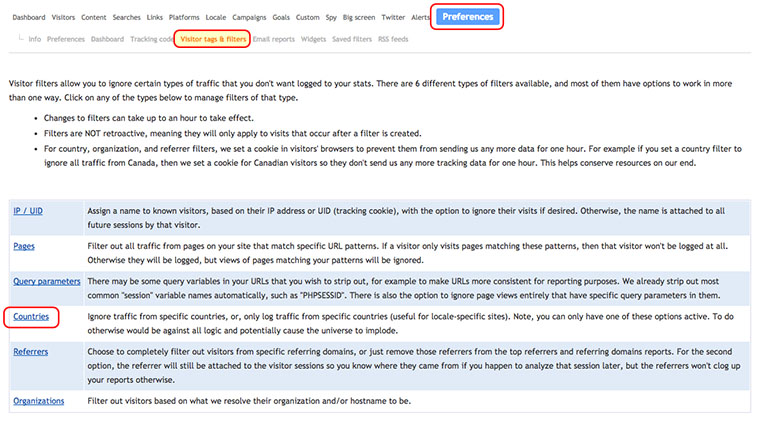
- Click Add Country Filters (under your domain)
- Check the box for a specific country
- Click Submit
09292026